API Endpoints & Integrations
Adeloop Agent API: Endpoints & Integrations
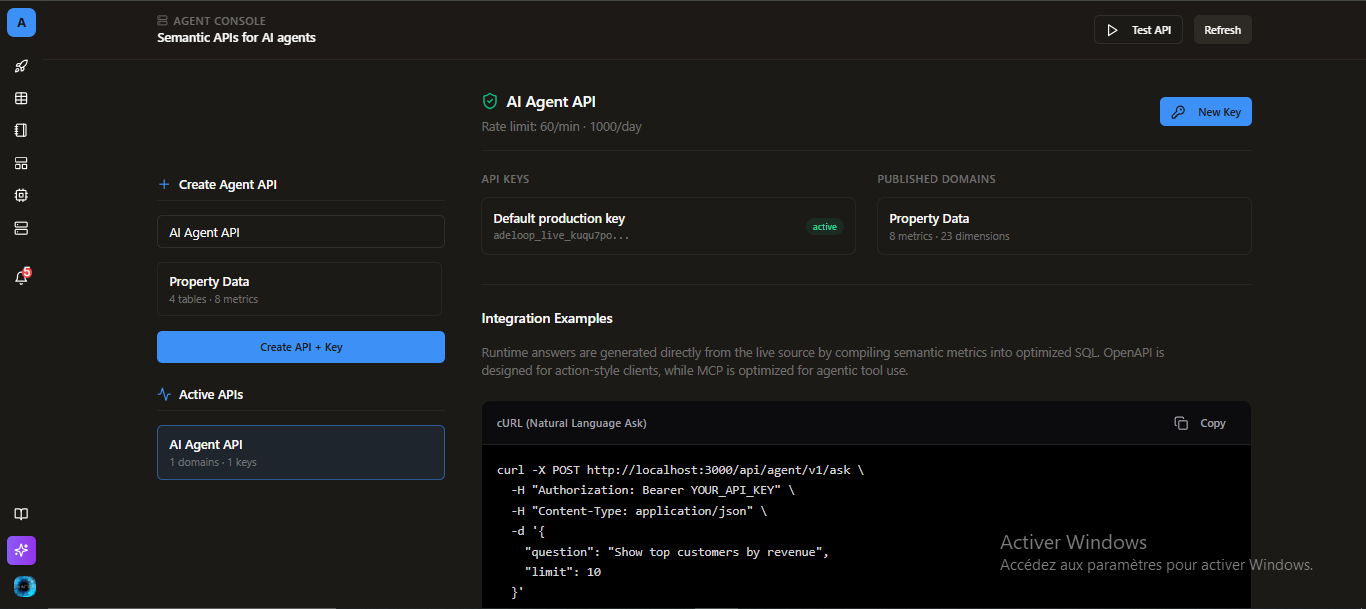
Once you understand the architecture of the Adeloop Agent API, you can begin integrating it into your applications using REST, MCP, or OpenAPI.
Authentication
All external requests require a generated Adeloop API key. You can pass the key in one of two ways:
Bearer Token:
Authorization: Bearer adeloop_live_xxxCustom Header:
x-api-key: adeloop_live_xxx[!CAUTION] Never expose your API keys in browser JavaScript. If using frameworks like React or Next.js, always store the key securely on your server or backend routes.
Core REST Endpoints
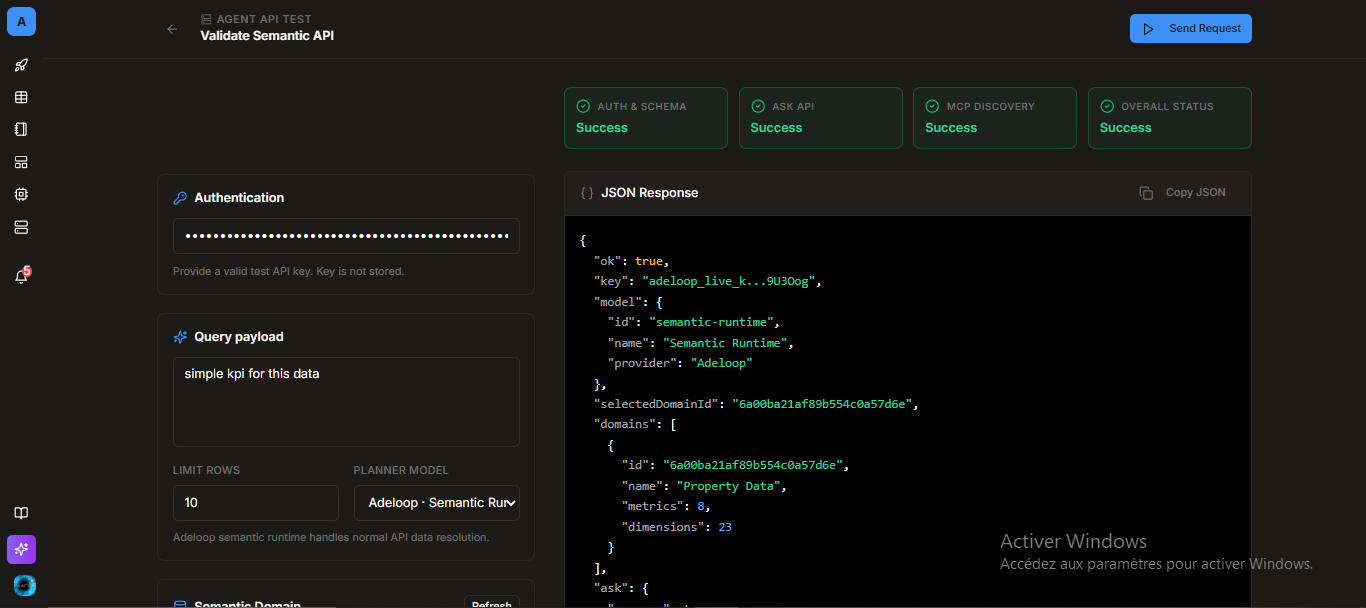
1. List Published Domains
Fetch the semantic domains that have been published for external access.
GET /api/agent/v1/domains
Authorization: Bearer YOUR_API_KEY
2. Get Domain Schema
Inspect available metrics, dimensions, and tables before constructing a query.
GET /api/agent/v1/domains/:domainId/schema
Authorization: Bearer YOUR_API_KEY
3. Structured Metric Query
Execute a deterministic query against specific metrics and dimensions.
POST /api/agent/v1/query
Authorization: Bearer YOUR_API_KEY
Content-Type: application/json

{
  "domainId": "domain_id",
  "metricId": "metric_id",
  "dimensions": ["dimension_id"],
  "limit": 100
}
4. Natural-Language Ask
Ask a natural language question. Adeloop will map this to the appropriate semantic domain and metric.
POST /api/agent/v1/ask
Authorization: Bearer YOUR_API_KEY
Content-Type: application/json

{
  "question": "Show top customers by revenue",
  "limit": 10
}
Agent Integrations
Model Context Protocol (MCP)
Adeloop exposes an HTTP MCP-compatible JSON-RPC endpoint. This endpoint reuses the published domains, API keys, and execution runtime.
POST /api/agent/v1/mcp
Authorization: Bearer YOUR_API_KEY
MCP-Protocol-Version: 2025-06-18
Available MCP Tools:
list_domainsdescribe_domainask_domainquery_metric
OpenAPI Action Schema
For ChatGPT Actions or platforms that prefer OpenAPI definitions:
GET /api/agent/v1/openapiThis returns an OpenAPI 3.1 document covering the core endpoints, allowing zero-code agent integration into your workflows.
Code Examples
cURL Example
curl -X POST https://your-adeloop-host.com/api/agent/v1/ask \
  -H "Authorization: Bearer YOUR_API_KEY" \
  -H "Content-Type: application/json" \
  -d '{
    "question": "Show top customers by revenue",
    "limit": 10
  }'
Next.js Integration
Always keep the API key server-side.
Server Route (app/api/adeloop/ask/route.ts):
import { NextResponse } from "next/server";

export async function POST(req: Request) {
  const body = await req.json();

  const res = await fetch("https://your-adeloop-host.com/api/agent/v1/ask", {
    method: "POST",
    headers: {
      Authorization: `Bearer ${process.env.ADELOOP_API_KEY}`,
      "Content-Type": "application/json"
    },
    body: JSON.stringify({
      question: body.question,
      limit: 10
    })
  });

  return NextResponse.json(await res.json(), { status: res.status });
}
Client Component:
"use client";

import { useState } from "react";

export function AskDataButton() {
  const [answer, setAnswer] = useState("");

  async function ask() {
    const res = await fetch("/api/adeloop/ask", {
      method: "POST",
      headers: { "Content-Type": "application/json" },
      body: JSON.stringify({ question: "Show top customers by revenue" })
    });
    const json = await res.json();
    setAnswer(json.answer || json.error);
  }

  return (
    <div>
      <button onClick={ask}>Ask Adeloop</button>
      <pre>{answer}</pre>
    </div>
  );
}
Security & Runtime Limits
- Isolated Execution: External agents cannot run arbitrary SQL.
queryandaskare strictly planned against published semantic metadata. - Privacy: Raw external credentials are never returned to the agents.
- Limits: Multi-domain auto-routing is supported. Currently, cross-source joins and sandbox execution are restricted in the public API.