Introduction to Adeloop
Welcome to Adeloop - Cloud Jupyter Notebook for Data Analytics
Welcome to Adeloop, a powerful cloud-based Jupyter notebook platform designed specifically for data analytics professionals. Adeloop combines the familiar Jupyter interface with cloud scalability and enhanced features to supercharge your data analysis workflow.
Connect, Transform, Deliver.
Stream data from any source directly into your apps, dashboards, and AI agents.
What is Adeloop?
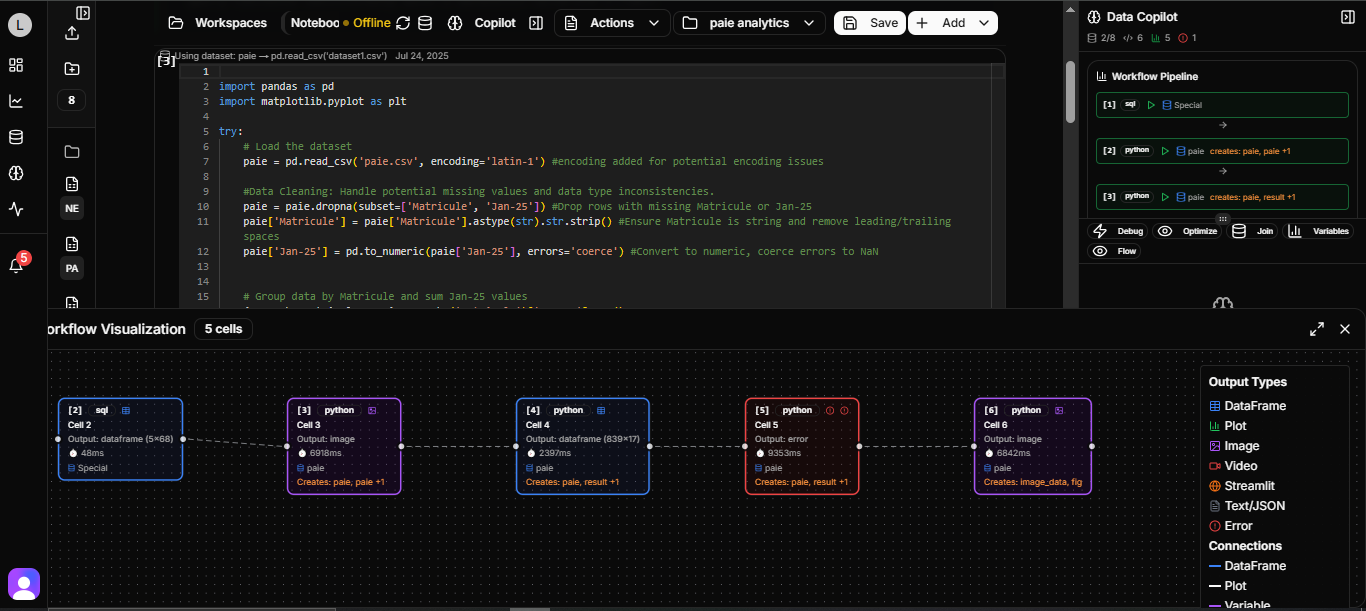
Adeloop is a cloud-native platform that provides a Jupyter-like environment for data scientists, analysts, and researchers. Built with modern web technologies, it offers:
- Cloud Scalability: Access powerful computing resources on-demand
- Collaboration Features: Share notebooks and work together in real-time
- Enhanced Jupyter Features: All the familiar Jupyter functionality with additional capabilities
- Data Integration: Connect to various data sources seamlessly
- Version Control: Built-in versioning for your notebooks and analyses
Key Features
1. Jupyter-like Experience
Adeloop provides all the familiar Jupyter features you love:
- Interactive code cells with execution counts
- Variable persistence across cells
- Rich output support for DataFrames, plots, and more
- Magic commands for enhanced functionality
2. Cloud Infrastructure
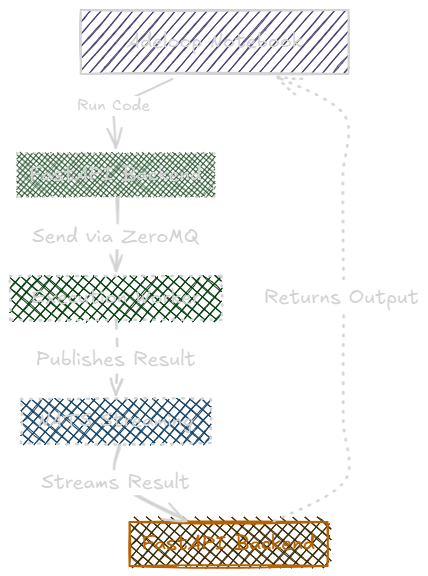
Unlike traditional Jupyter installations, Adeloop runs in the cloud:
- No local setup required
- Access from anywhere with an internet connection
- Scalable computing resources
- Automatic backups and data persistence
3. Enhanced Analytics Capabilities
Adeloop extends beyond standard Jupyter with additional features:
- Advanced visualization tools
- Built-in data connectors
- Collaboration and sharing features
- Integrated version control
Getting Started
To begin using Adeloop:
- Create an Account: Sign up for an Adeloop account to access the platform
- Launch Your First Notebook: Create a new notebook and start coding immediately
- Connect to Data Sources: Configure connections to your data sources
- Start Analyzing: Use the full power of Python, pandas, matplotlib, and other data science libraries
Navigation
In this documentation section, you'll find detailed information about:
- Jupyter-like Features - All the familiar Jupyter functionality enhanced for the cloud
- Rich Output Support - Displaying DataFrames, plots, and complex data structures
- Magic Commands - Special commands for enhanced functionality
- Python Examples - Practical examples for computer vision, pipeline workflows, and 3D plotting
Each section includes practical examples and best practices to help you make the most of the Adeloop platform.
Example Notebook
# Create a simple data analysis
import pandas as pd
import matplotlib.pyplot as plt

# Create sample data
data = {
    'Month': ['Jan', 'Feb', 'Mar', 'Apr', 'May'],
    'Sales': [100, 150, 120, 200, 180]
}
df = pd.DataFrame(data)

# Display the DataFrame (rich output)
result = df

# Create a simple plot
plt.figure(figsize=(10, 6))
plt.plot(df['Month'], df['Sales'], marker='o')
plt.title('Monthly Sales Data')
plt.xlabel('Month')
plt.ylabel('Sales')
plt.grid(True)
plt.show()
This example demonstrates how Adeloop handles rich output for DataFrames and plots, similar to Jupyter but with enhanced cloud capabilities.
Ready to dive deeper into Adeloop's features? Continue to the next section to learn about all the Jupyter-like features available in the platform.