AI Agents
Build, orchestrate and deploy AI agents that automate workflows, connect apps, and act on your data.
AI Workflow Pipeline
Interactive visualization of autonomous multi-agent data processing and intelligent alerting.
This page explains what Adeloop AI Agents are, how they work, and how they combine n8n‑style automation with first‑class data analytics. You can orchestrate triggers, APIs, LLMs, and Adeloop analytics nodes in one canvas so agents can both reason and calculate.
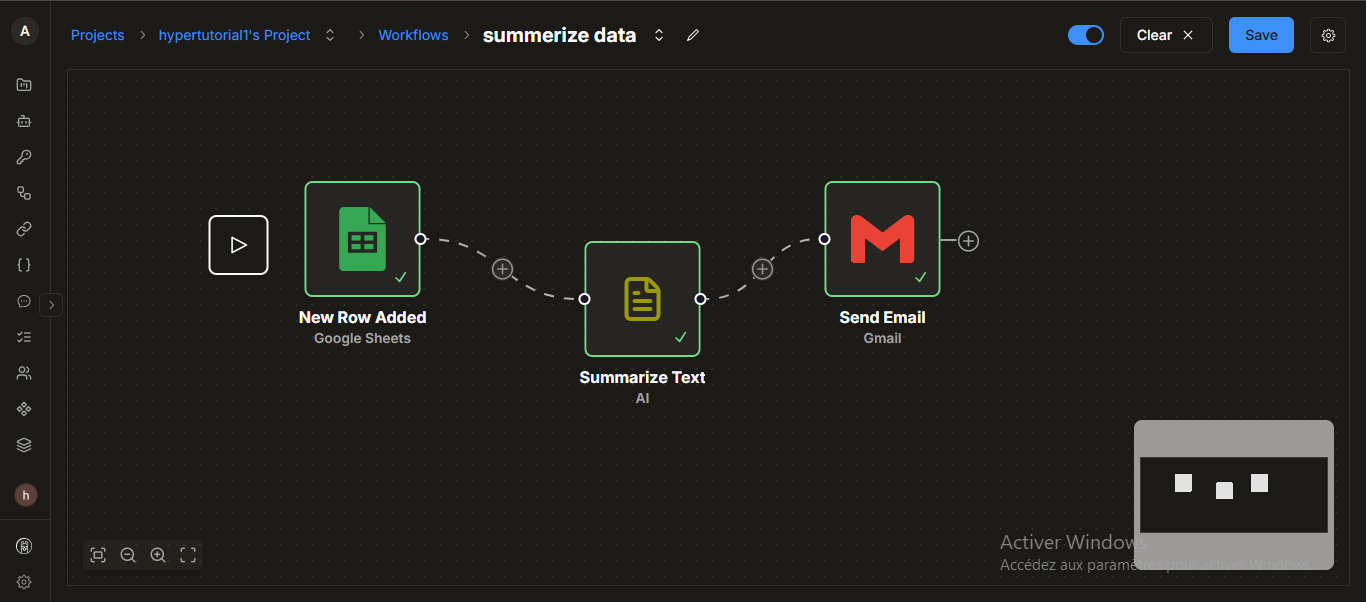
Executive summary
Adeloop AI Agents are autonomous or semi‑autonomous workflows that:
- Listen to events and schedules
- Call LLMs, tools and external APIs
- Run analytics workloads in Adeloop (SQL, notebooks, dashboards) through an API
- Execute everything inside an isolated sandbox for safety
Conceptually, the platform feels similar to n8n: you build a graph of nodes and edges.
The difference is that Adeloop adds a built‑in analytics layer so agents can query, transform and score data before deciding what to do next.
Core building blocks
Adeloop agents are built from a small set of node types:
-
Triggers
- Webhooks (HTTP)
- Schedules (cron‑like)
- Manual runs from the UI
-
Adeloop Analytics Node
- Calls a published Adeloop API that was built from a notebook, SQL query, or dashboard.
- Runs inside a sandboxed runtime: no shared state, controlled resources, deterministic inputs.
- Returns structured outputs (JSON, tables, metrics) that can be consumed by downstream nodes.
-
RAG & Retrieval Nodes
- Use your RAG infrastructure (see
architecture/rag) to ground LLM calls in company data and docs. - Typical pattern: “retrieve context → call LLM with tools → return answer + citations”.
- Use your RAG infrastructure (see
-
Action Nodes
- Side‑effectful operations such as:
- Sending email/Slack/Teams messages
- Writing to a database or data warehouse
- Calling arbitrary REST / GraphQL APIs
- Side‑effectful operations such as:
-
Control‑Flow Nodes
- If/Else branches, switches, loops and retries.
- Used to fan out based on metrics produced by Adeloop or RAG nodes (e.g. anomaly score, policy flag).
From analytics to agent node
The unique part of Adeloop is that any analysis you build can become an agent node:
-
Explore & analyze in Adeloop
- Work in notebooks, SQL, dashboards.
- Join multiple datasets, build derived tables, and compute metrics.
-
Publish as an API
- Turn a notebook cell, query, or dashboard into a versioned API endpoint.
- Define the input schema (parameters) and output schema (JSON / table shape).
-
Use it as a node in an agent
- In the agents canvas, add an “Adeloop Analytics” node.
- Point it at your published API, map incoming payload fields to the API parameters.
- Downstream nodes can branch on returned metrics, rows, and flags.
The sandbox ensures every API call is isolated per run, so your automation stays stable and debuggable.
Example: data‑driven alerting agent (n8n‑style)
Imagine an agent that:
- Runs every hour.
- Pulls the latest revenue and error‑rate metrics from Adeloop.
- Asks an LLM to explain anomalies.
- Posts a summary to Slack and, if severe, opens an incident.
High‑level node graph:
At the Adeloop layer you might have a notebook cell like:
# Simplified example: compute anomaly flags in Adeloop, then publish as API
df = read_dataset("daily_metrics")
df["revenue_delta"] = df["revenue"].pct_change()
df["error_rate_delta"] = df["error_rate"].pct_change()

latest = df.sort_values("date").tail(1)
return {
    "revenue": float(latest["revenue"].iloc[0]),
    "error_rate": float(latest["error_rate"].iloc[0]),
    "is_anomaly": bool(abs(latest["revenue_delta"].iloc[0]) > 0.2)
}
Publishing this cell as an API gives you an get_kpis() endpoint that the agent can call as an analytics node.
Building reliable agents
When designing automations that can act on your data:
-
Start from the analytics
- Decide what you want to measure or detect (KPIs, thresholds, anomalies).
- Build and test it in Adeloop first, and only then expose it as an API node.
-
Keep nodes focused
- One node = one responsibility (fetch metrics, classify, send notification, write to DB).
- This makes debugging and reuse much easier, similar to n8n flows.
-
Use the sandbox intentionally
- Treat every analytics call as a pure function: inputs → outputs, no hidden side‑effects.
- Log inputs/outputs so you can replay problematic runs.
-
Guardrails and approvals
- For destructive actions (deleting data, updating finance systems), add an explicit “approval” or “review” step in the graph.
-
Observe and iterate
- Use logs and the dashboard panel from the live demo to:
- Inspect run history
- Track success/failure rates
- Refine prompts, thresholds, and node composition
- Use logs and the dashboard panel from the live demo to:
This combination of visual automation, analytics APIs, and sandboxed execution is what makes Adeloop agents a good fit for production‑grade, data‑driven workflows.